Ontology and KPIs
Deze inhoud is nog niet vertaald.
A KPI is a number your organisation steers on, such as net sales. A metric is how one model calculates it. One KPI can have metrics in several models. The ontology is the list of your KPIs with their definitions, plus the words, systems and structure of your organisation.
Pick your KPIs
Section titled “Pick your KPIs”After a model is read, its Overview proposes metrics that look like KPIs. You need the Contributor role.
- Tick the ones that are KPIs. Choose Not a KPI to drop one from the list.
- Choose Add as KPIs.
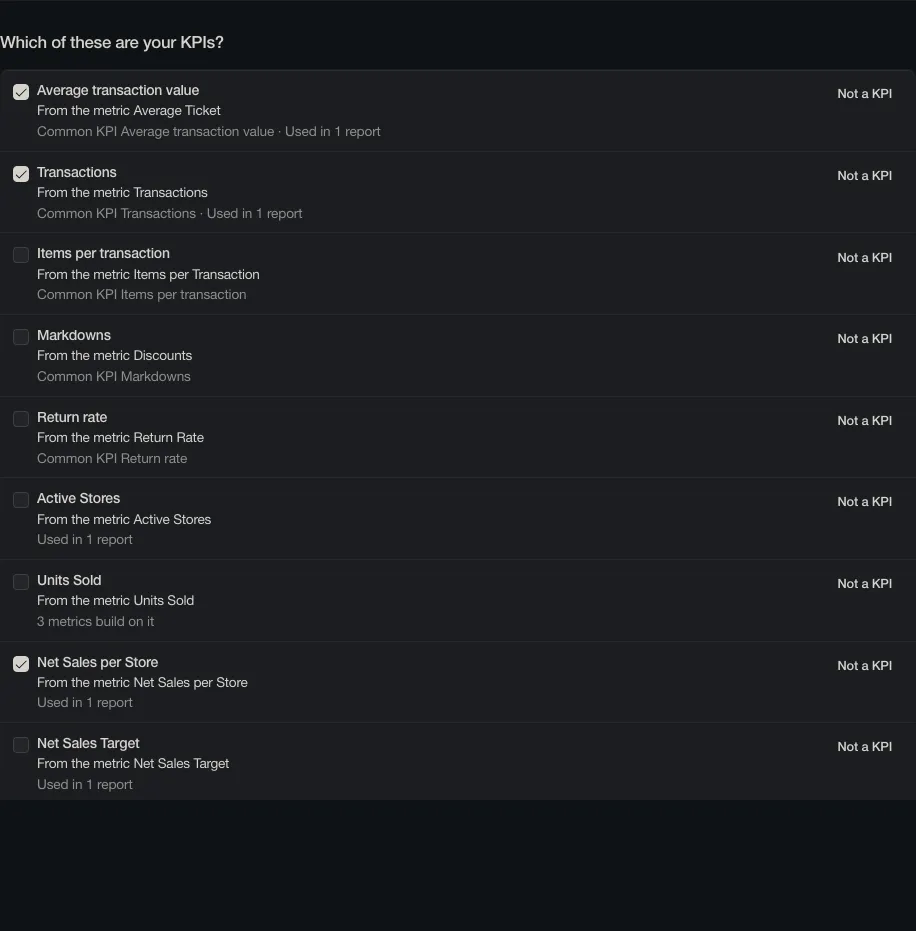
They are added as drafts. You can also start from a template for your sector: Ontology, Start from a template.
Read and review
Section titled “Read and review”Ontology lists every KPI with its definition and the metrics that calculate it.
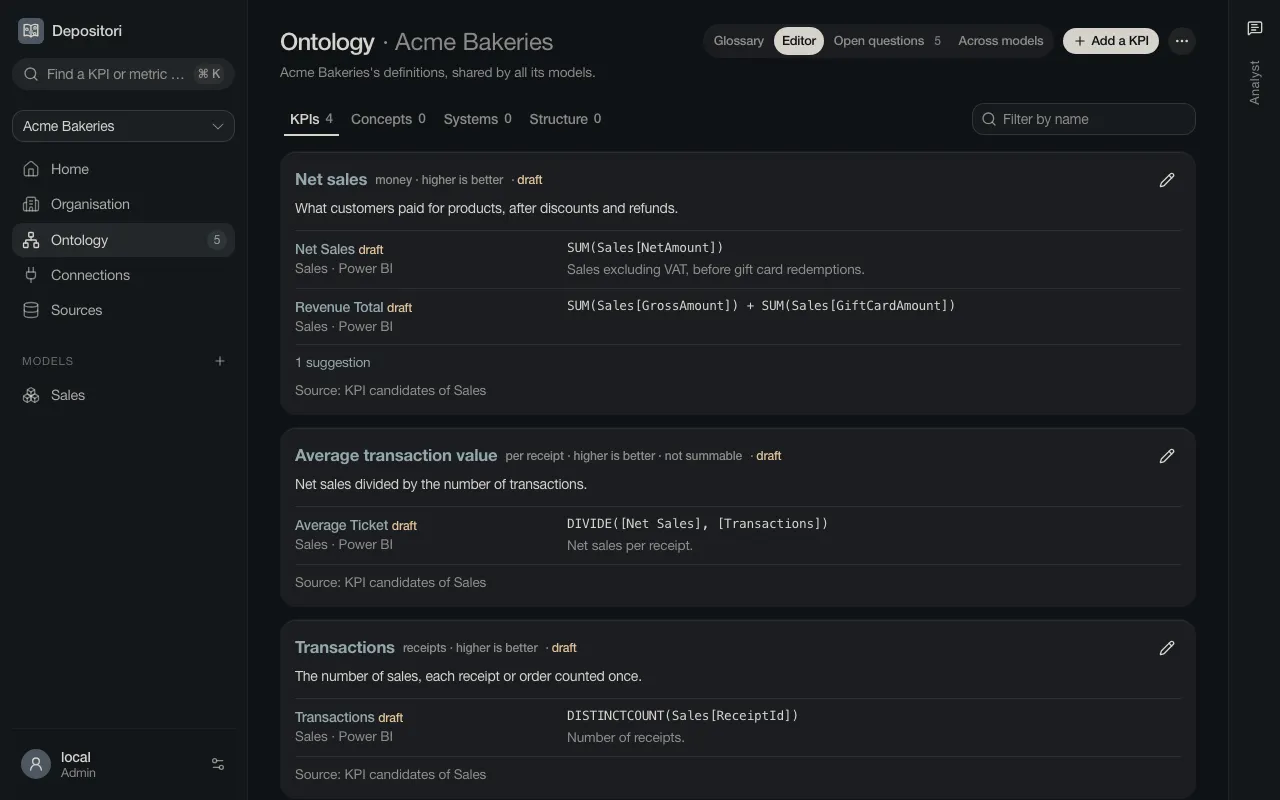
Open a KPI for its page: the definition, the differences between the models that calculate it, the calculation, the lineage and the open questions.
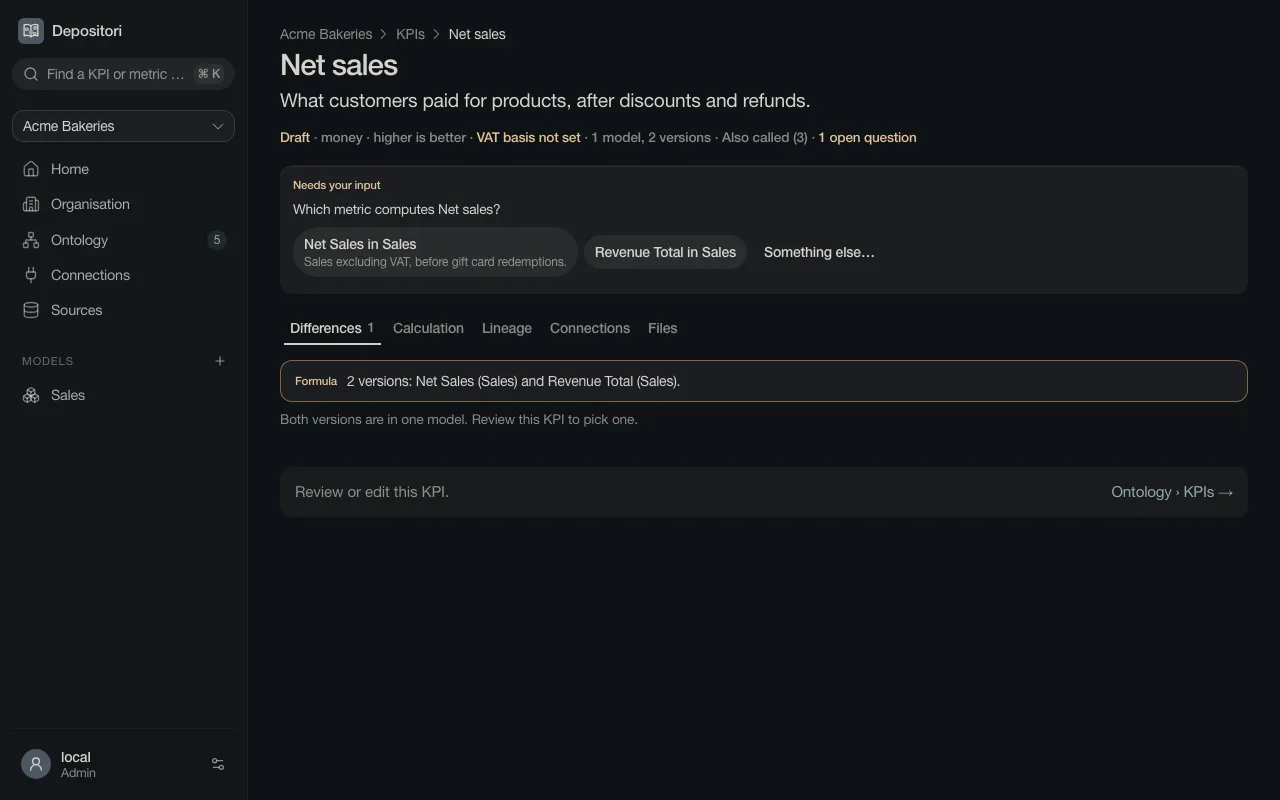
A KPI stays a Draft until someone reviews it. Edit it with the pencil on the Ontology page.
Open questions
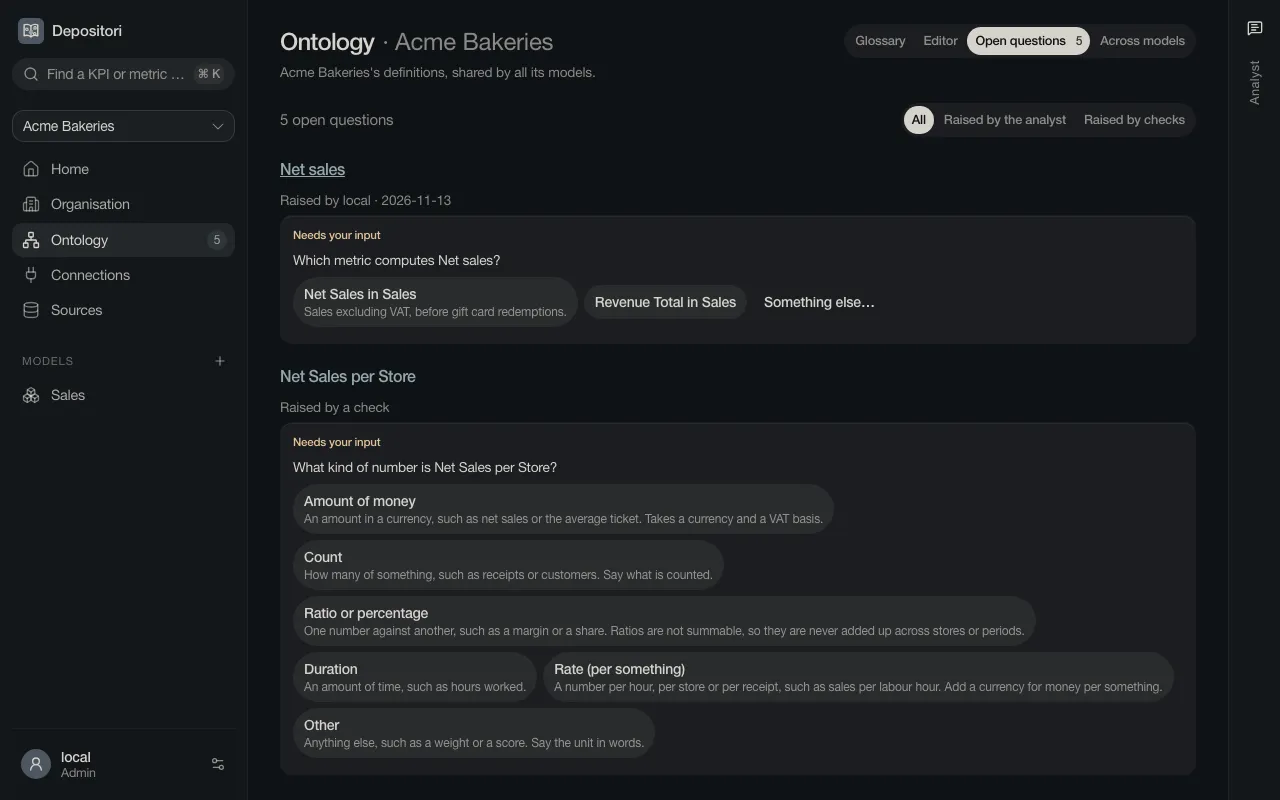
Section titled “Open questions”Depositori collects what it could not decide: which of two metrics calculates a KPI, whether an amount includes VAT, how your weeks are numbered. Answer them on Ontology, Open questions. The number next to Ontology at the left is how many are open.
Find a KPI
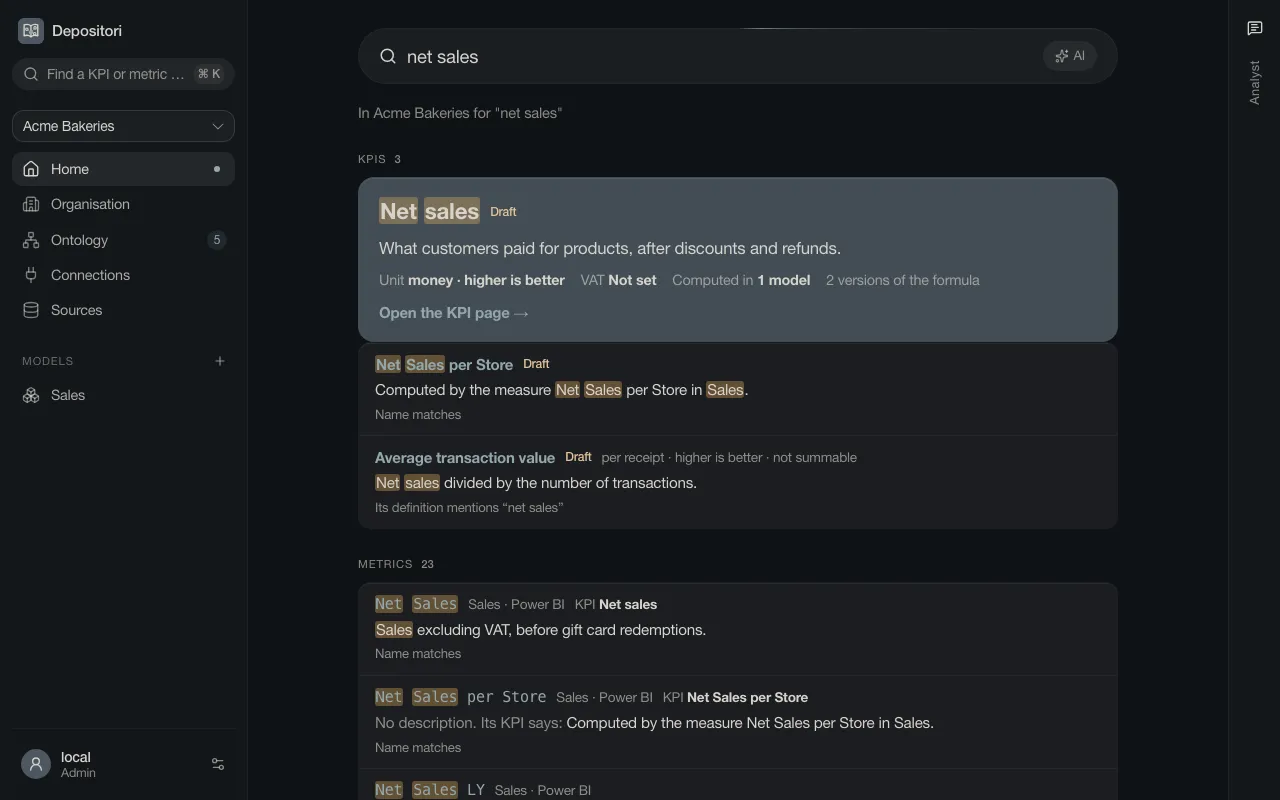
Section titled “Find a KPI”Type a business word in the search box at the top left, or on Home. KPIs come first, then the metrics that calculate them, then the tables. Every result says why it matched.