
Power BI
Deze inhoud is nog niet vertaald.
The quickest way is the guided start: Connect a source. This page is for adding more workspaces and models afterwards.
Before you start
Section titled “Before you start”- The Owner role in Depositori.
- A Microsoft account that can open the workspace in Power BI. Depositori sees what that account sees, no more.
- To read the full definition of a model, the account needs enough rights on the model in Power BI; your Power BI administrator knows which. Without them Depositori reads names and formulas only, and says so on the model.
Add a workspace
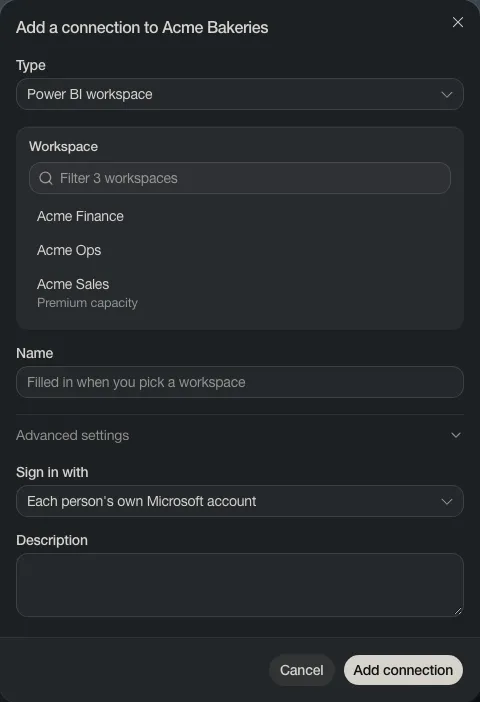
Section titled “Add a workspace”- Open Connections and choose Add connection.
- Leave Type on Power BI workspace, and pick the workspace from the list.
- Leave Sign in with on Each person’s own Microsoft account, unless your IT gave the organisation an app to read with.
- Choose Add connection.
Read its models
Section titled “Read its models”The connection’s card lists the models in the workspace. Choose Import next to one, or Import all.
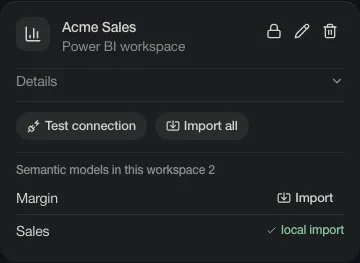
Test connection checks that the workspace can be reached with your login.