
Sharing
Deze inhoud is nog niet vertaald.
What you add is private at first: a new connection or model is yours alone. You choose when to share it with your organisation.
Share a connection or a model
Section titled “Share a connection or a model”On the card, click the lock.
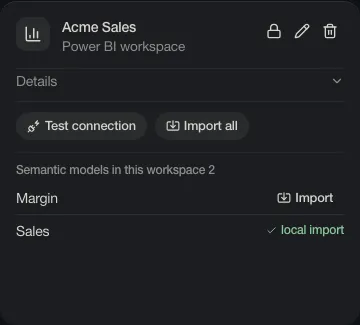
The lock becomes two people: everyone in the organisation now sees it. Click again to make it private.
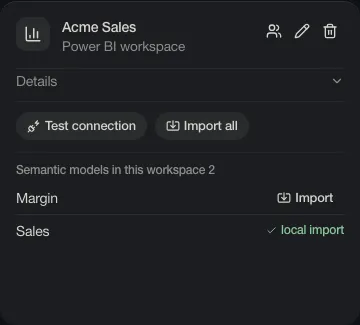
Others see the definition: names, formulas, lineage. They do not get your access to the data. When they ask the analyst for numbers, Power BI and the database decide what their own account may see.
Only the person who added something can share it, change it or remove it.
Logins
Section titled “Logins”A login is who Depositori reads a source as. They are at the top of the Connections page.
- Your own Microsoft account. The default. Only you read with it.
- A Microsoft app (service principal). An Admin adds it; everyone then reads as that app.
- A database login, for a source that does not sign in with Microsoft. Choose Add a database login.
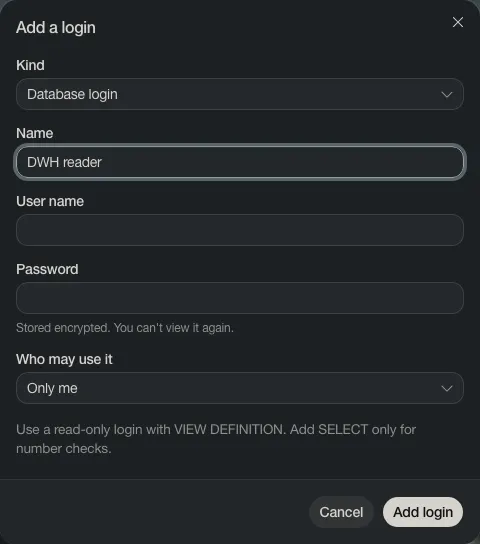
The password is stored encrypted and nobody can view it again, not even you. Under Who may use it you choose: Only me, Everyone in the organisation, or Background imports only.
Give a shared login read-only rights. Everyone who uses it reads with its rights.