
Create an organisation
An organisation holds everything that belongs together: its connections, models, people and KPIs. Most people join an organisation that exists already. Then skip this page.
You need the Admin role to add an organisation.
- Choose Maintain at the bottom left, then Add organisation. With an organisation open, choose Add organisation in the list of organisations at the top left.
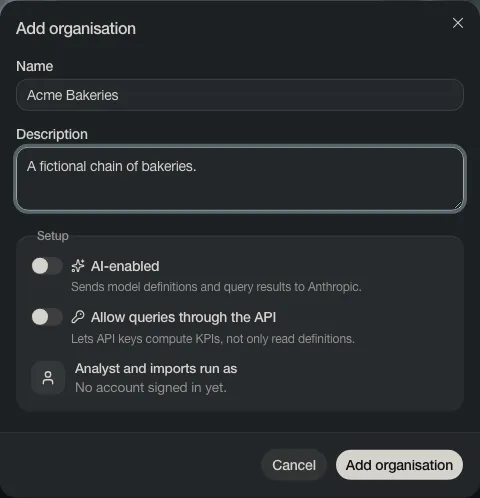
- Type a Name and, if you like, a Description.
- Leave the two switches off for now. You turn the analyst on later, when you need it.
- Choose Add organisation.
Depositori opens the new organisation on its guided start, with Connect a source as the first step.