
dbt
Depositori reads a dbt project from two files dbt writes on every run: manifest.json and catalog.json. It reads
the models, columns, descriptions, tests and lineage.
Before you start
Section titled “Before you start”- The Owner role in Depositori.
- The project’s pipeline publishes
manifest.jsonandcatalog.jsonto a folder in Azure Storage. Ask whoever runs the pipeline for the folder’s address. It looks likehttps://<account>.blob.core.windows.net/<container>/<folder>. - A Microsoft account with read access to that container (the role Storage Blob Data Reader).
Add the connection
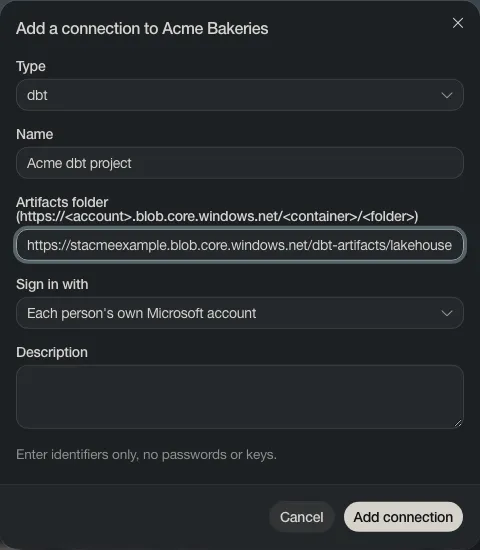
Section titled “Add the connection”- Open Connections and choose Add connection.
- Set Type to dbt, give it a Name and paste the Artifacts folder.
- Choose Add connection.
Read the project
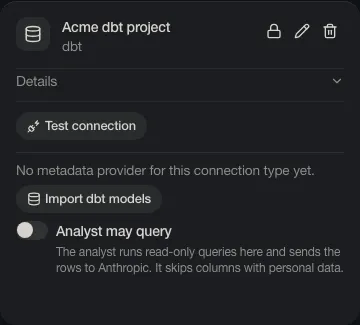
Section titled “Read the project”On the connection’s card, choose Import dbt models, give the model a name and choose Import.
Without Azure Storage
Section titled “Without Azure Storage”Choose the + next to Models, then dbt, and upload the files from your computer. To update the model later, upload them again.